Automatic matter overview
An event timeline across incident, medical, litigation, and proceedings, the dates ahead, and a plain-language brief, updated as source files are added.
Source builds a matter overview from the files in the matter, suggests the questions worth asking, and answers from the record with citations, all inside the branded portal your clients already use.


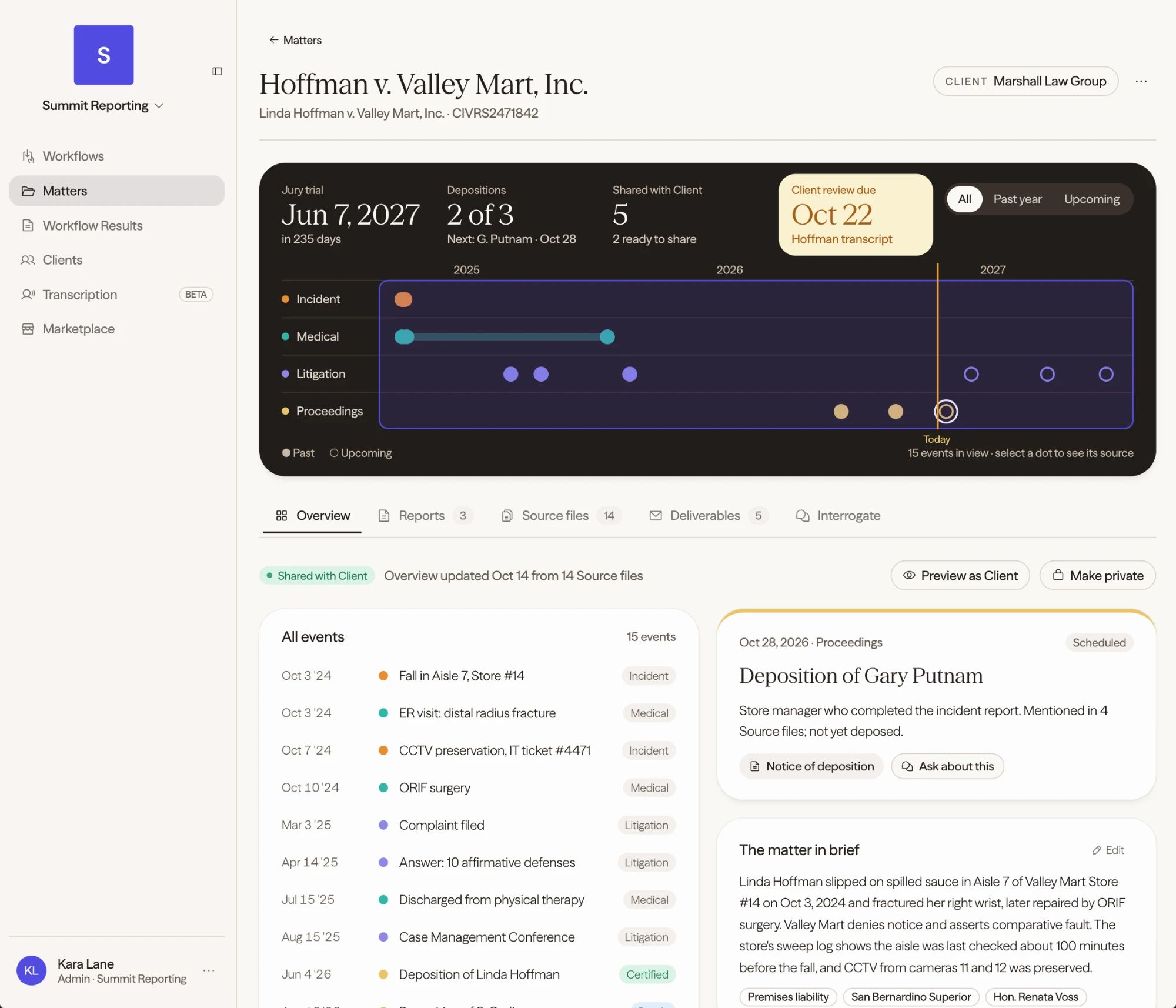
Your firm controls what each client sees, from the overview to chat access to finished deliverables.
Reporting firms already hold the record. Source turns it into an overview clients can read, questions they can ask, and work products they can order, delivered under your brand and your domain.
An event timeline across incident, medical, litigation, and proceedings, the dates ahead, and a plain-language brief, updated as source files are added.
Lexi, Source's autonomous agent, reviews the matter files and suggests the questions worth asking.
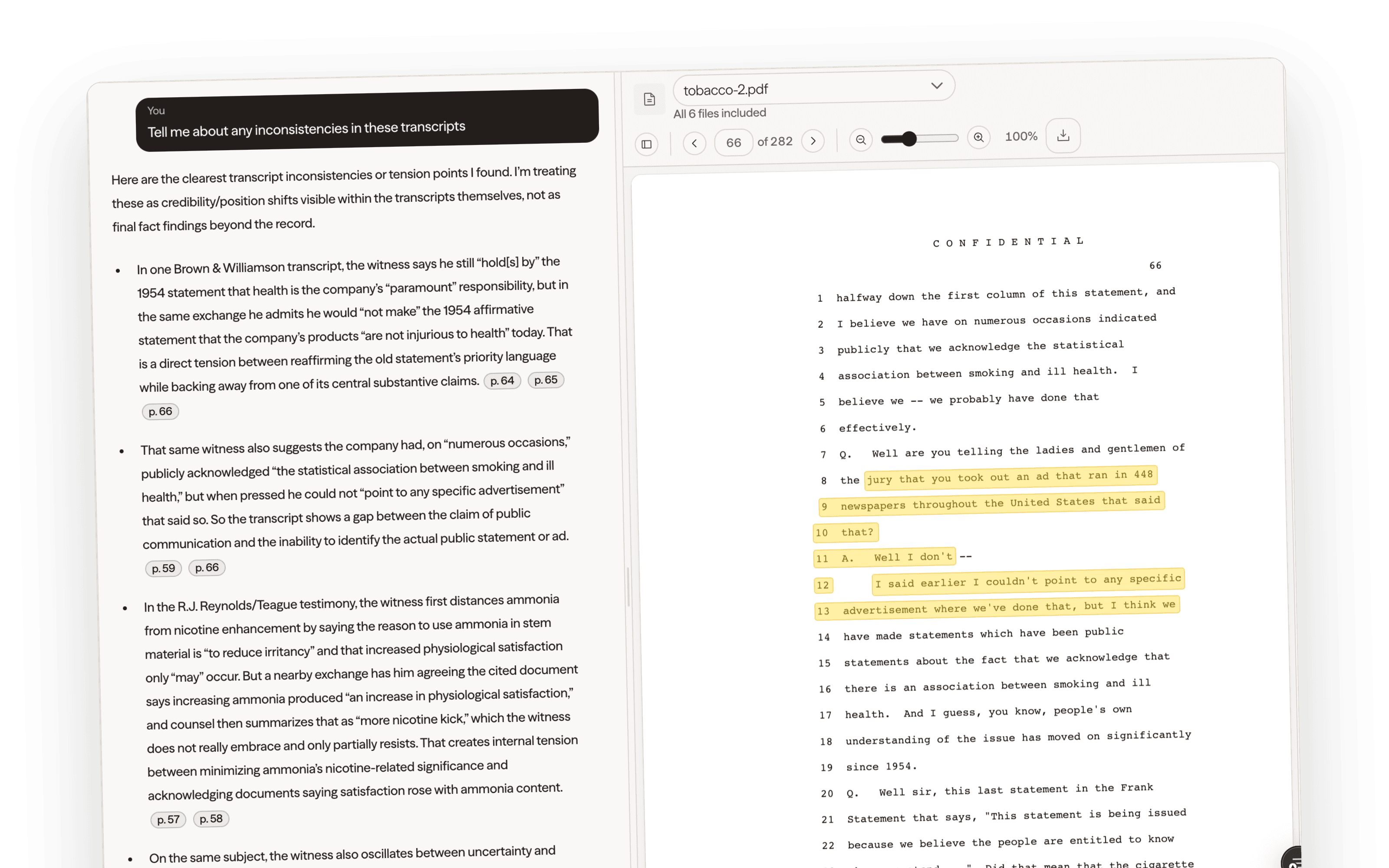
Ask about one file, a selection, or the whole matter. Answers link back to the pages they came from.
Compare witnesses and surface contradictions across up to 50 transcripts, with page-and-line citations.
Upload from your computer, import from Google Drive or Dropbox, or add a ZIP. Works with PDF, Word, PowerPoint, spreadsheets, images, email, audio, and video.
Client-created matters start private. Your firm gets access through a separate grant, and clients choose what to share back.
Source answers from the matter files and links each point to the pages behind it, so your team and your clients can check the work.
Source connects the matter overview and cited answers with certified production, branded delivery, and a catalog of work products clients can request.
Certify once and deliver twelve transcript and litigation-support formats.
Your logo, colors, and domain on the portal clients log into.
Summaries, chronologies, and clips from a catalog you control.
Preview as the client, then share by organization, group, or individual.
Give attorneys and paralegals a faster way into the record without losing your firm's role in the relationship.
Share the overview so a new team member can read the timeline and the matter brief first.
Ask what earlier witnesses said on a topic and follow the citations to the page.
Interrogate across transcripts to compare testimony between witnesses and proceedings.
Clients get cited answers from the portal without waiting for a phone call.
Bring in records, email, spreadsheets, and recordings alongside the transcripts.
Keep client-created matters private and share only what the client chooses.
Yes. Clients can ask about a single file, a selection, or the whole matter from your branded portal. Answers link back to the underlying material, and your firm decides who has access.
Yes. Source rebuilds the timeline and matter brief as source files are added. Your team can edit the brief, preview the client view, and share or make the overview private.
PDF, Word, PowerPoint, spreadsheets, images, email, audio, video, and many other formats, uploaded from your computer, imported from Google Drive or Dropbox, or added as a ZIP.
No. Clients see the files, overviews, and deliverables you choose to make available, not your drafts or production steps.
See the matter overview, suggested questions, and cited answers inside a branded client portal.