Browser-based synchronization
Align deposition video with the certified transcript in the matter workspace without a separate desktop production tool.
Automatically sync certified transcripts with deposition video, navigate from the words instead of a timeline, and export reviewed, captioned MP4 clips.


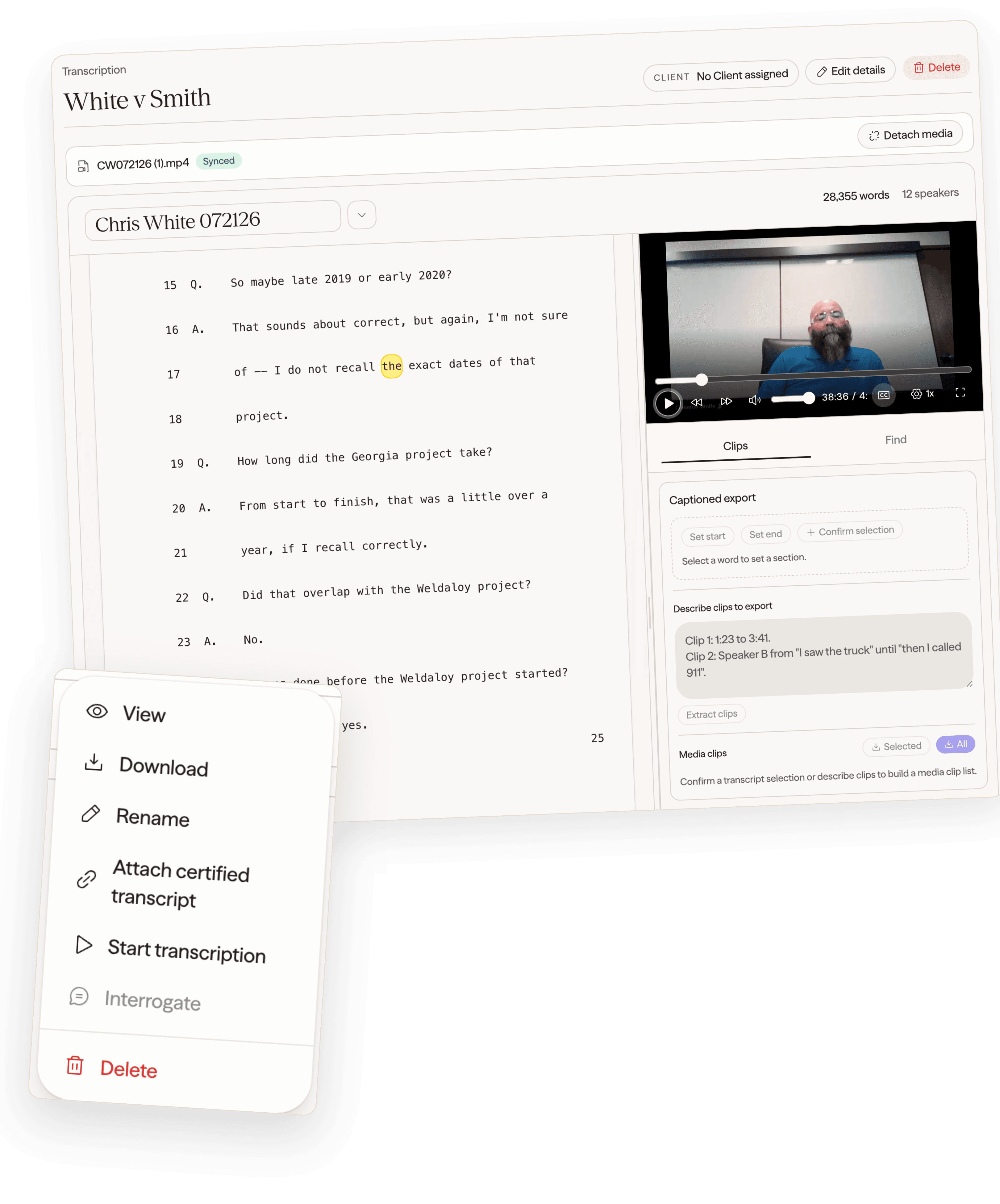
The synchronized record stays reviewable in the browser from the first search through the final named clip.
Source aligns testimony and playback automatically, so teams can move from a word, phrase, issue, or plain-language request to the right moment without timecode archaeology.
Align deposition video with the certified transcript in the matter workspace without a separate desktop production tool.
Follow the exact testimony as the video plays, with the current words kept visible in the transcript.
Click transcript text to move playback directly to that moment and review the surrounding exchange.
Search what was said and move through matching moments instead of guessing from a video timeline.
Select transcript words or describe the testimony; Source proposes a range with matched text and review signals.
Create separately named MP4 clips with visible captions, speaker labels, and a timestamp after review.
Keep proposed ranges, transcript context, warnings, names, and output status together before publishing the finished clips.
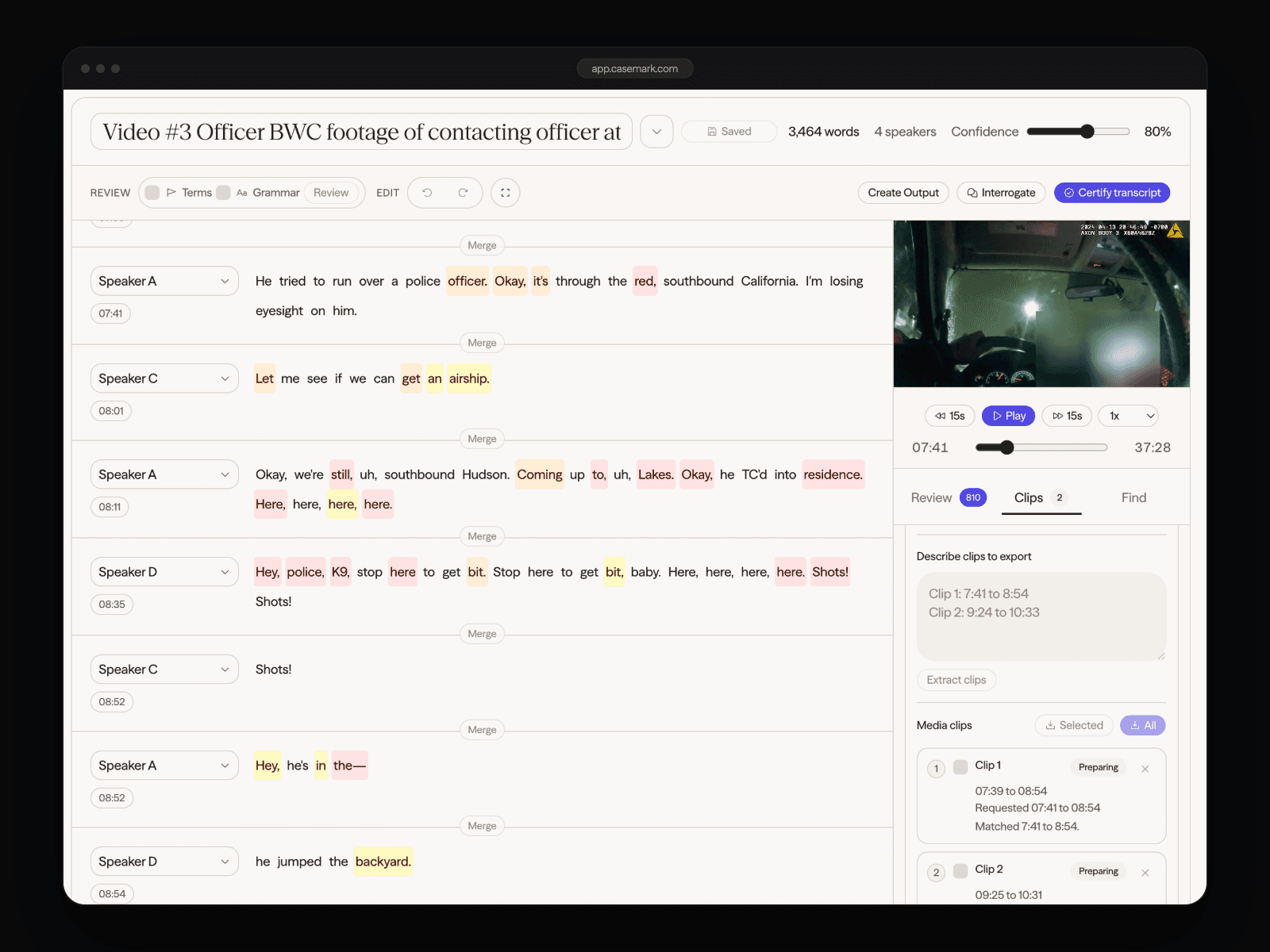
Source connects synchronized review and clip production with transcript certification, multi-format bundles, exhibits, and branded client delivery in the same matter.
Keep video work connected to the transcript your reporter has reviewed and approved.
Produce twelve transcript and litigation-support formats from one certification pass.
Receive requested testimony as a tracked work item instead of an email with loose timecodes.
Control which reviewed clips are published and deliver them under your firm identity.
Move quickly from long-form testimony to the moments litigation teams need to review, prepare, and present.
Find the exact prior testimony and preserve enough surrounding context for reliable review.
Organize important testimony into reviewed clips for examinations and courtroom planning.
Collect testimony on a common fact, witness, or theory into a clearly named clip set.
Move through a deposition from the transcript while keeping video and words aligned.
Turn a phrase, topic, or plain-language request into a proposed range for human approval.
Publish the approved captioned outputs through the same controlled client experience.
See how CaseMark Source can synchronize the record and make captioned clip production part of the same workflow.